Redux DevTools Plugin
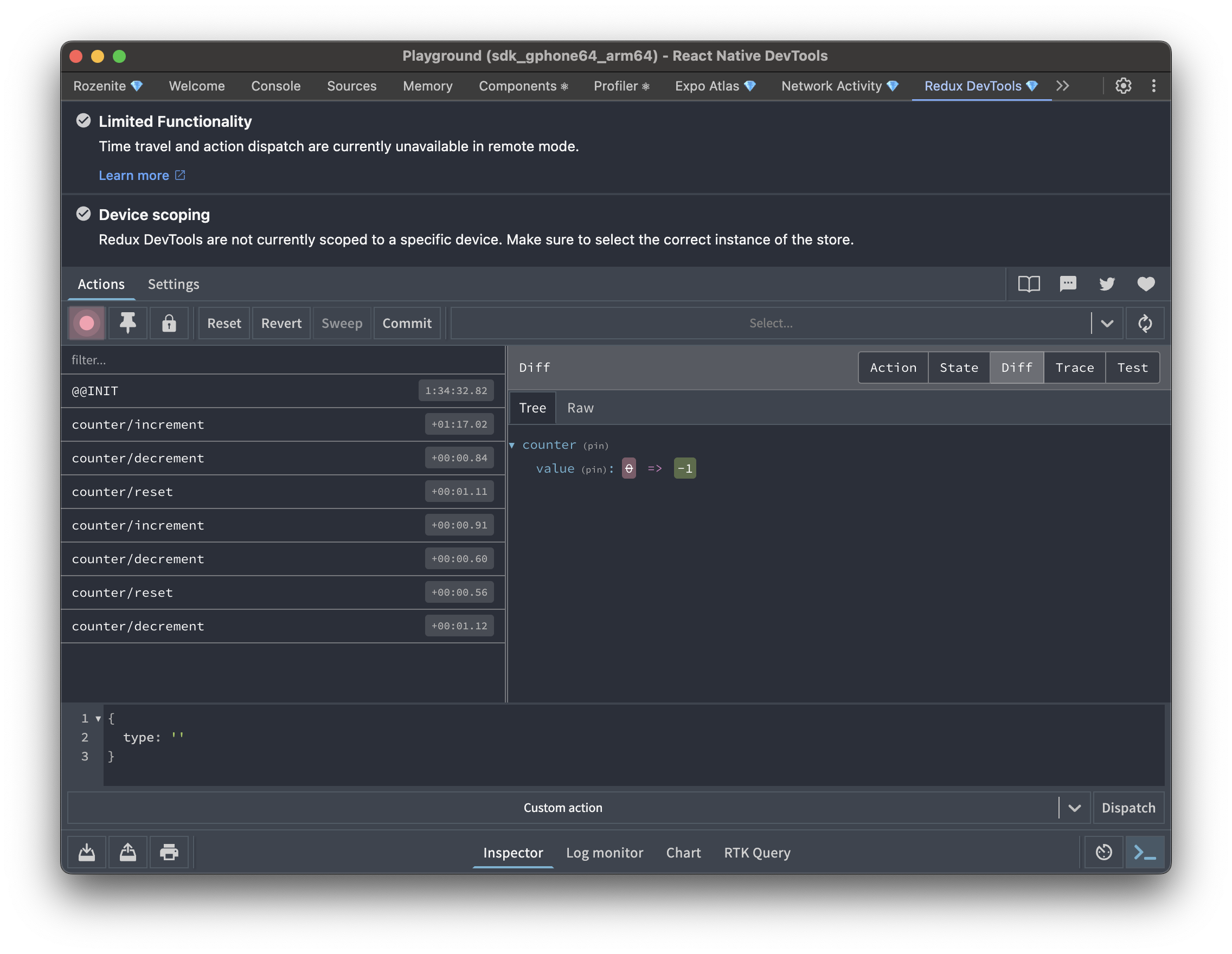
The Redux DevTools plugin brings the familiar Redux DevTools experience into React Native DevTools: state inspection, action history, and state diffs for your store.
Installation
Make sure to go through the Getting Started guide before installing the plugin.
Add the enhancer to your store:
Redux Toolkit (recommended)
Classic Redux
Rematch
Follow the Rematch documentation and use composeWithRozeniteDevTools as the devtoolComposer:
Web (React Native for Web)
With Rozenite for Web, this plugin is also available when debugging your React Native web app.
Usage
Once configured, "Redux DevTools" appears in your React Native DevTools sidebar.
Multiple stores
Give each store a distinct name so you can tell them apart in the panel:
Large stores
State is serialized and sent to DevTools over the device bridge, so a large store combined with a lot of action history can use a lot of memory — on Android this can even crash the app when you open the panel. If your store is large (RTK Query caches, big entity maps), lower maxAge (default 50) and strip bulky slices with stateSanitizer / actionSanitizer:
Dispatch traces
Set trace: true to capture where each action was dispatched from, symbolicated back to your source files through Metro:
Pass traceSymbolication: false to keep raw stacks without the Metro round-trip.
Agent Integration
Agent tools are a separate, manual step — instrumenting your store with the enhancer doesn't register them on its own. Mount this once near your app root:
This registers curated tools under the @rozenite/redux-devtools-plugin domain for listing stores/actions, dispatching actions, and driving history (jump/rollback/commit) — rather than exposing raw eval-based commands.
Next: Learn about Plugin Development, or explore other Official Plugins.